> ## Documentation Index
> Fetch the complete documentation index at: https://docs.bigdata.com/llms.txt
> Use this file to discover all available pages before exploring further.
# Bigdata.com Plugin
> Bring financial research capabilities directly into your agent
The **Bigdata.com Plugin** bundles the [Bigdata MCP Connector](/mcp-reference/oauth-integrations/claude-mcp-integration) and [financial research analyst skills](/skills-reference/mcp-helpers/financial-research-analyst) ready to install natively in Claude and ChatGPT and to any other agent that supports custom MCP plugin install from source.
This plugin enables you to run financial analysis workflows, generate investment reports, and access real-time financial data without leaving your agent. It is the best way for your organization to stay on the latest Skills version.
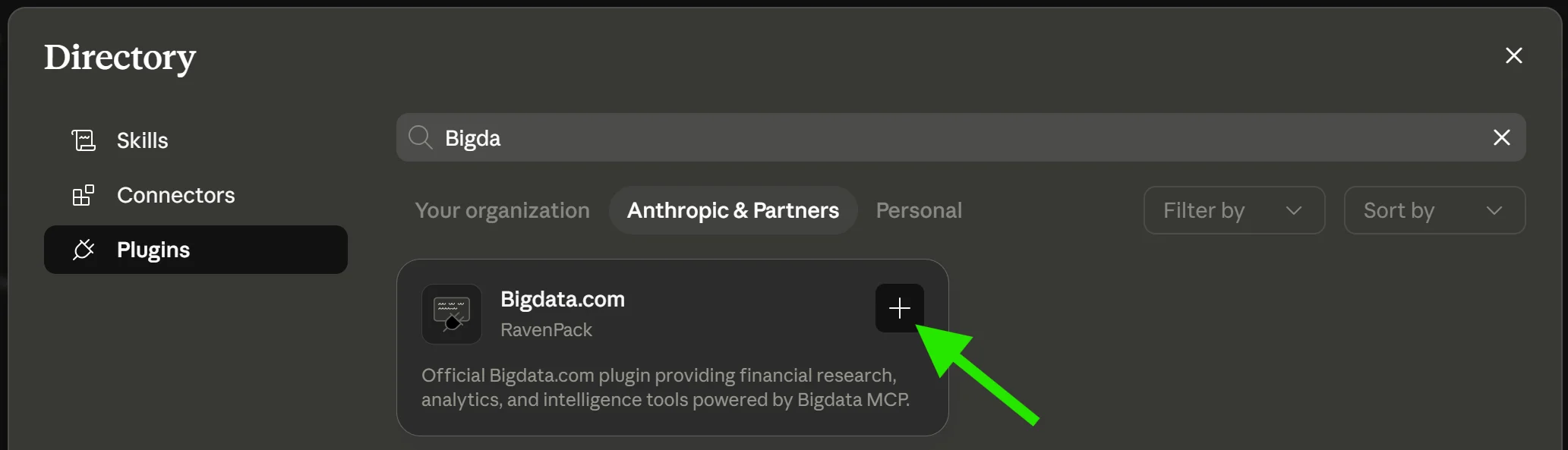 ## How to install it
Bigdata plugin is officially supported in **Claude** and **ChatGPT**. Click on the platform below to open the plugin details page, then click on `Install`
Official Bigdata plugin
Official Bigdata plugin
Other platforms can add the plugin from source using the public repository:
```
https://github.com/Bigdata-com/bigdata-plugins-marketplace
```
Step-by-step installation guides for Claude, Cursor, and VS Code are available in [Install the Bigdata plugin](/skills-reference/install-bigdata-plugin).
## Related Resources
Set up the Bigdata.com MCP connector in Claude
Guide your agent to create professional company briefs, earnings previews, earnings digests, and risk assessments using Bigdata MCP tools, consistently and at scale.
## How to install it
Bigdata plugin is officially supported in **Claude** and **ChatGPT**. Click on the platform below to open the plugin details page, then click on `Install`
Official Bigdata plugin
Official Bigdata plugin
Other platforms can add the plugin from source using the public repository:
```
https://github.com/Bigdata-com/bigdata-plugins-marketplace
```
Step-by-step installation guides for Claude, Cursor, and VS Code are available in [Install the Bigdata plugin](/skills-reference/install-bigdata-plugin).
## Related Resources
Set up the Bigdata.com MCP connector in Claude
Guide your agent to create professional company briefs, earnings previews, earnings digests, and risk assessments using Bigdata MCP tools, consistently and at scale.